

DStv installation wizard
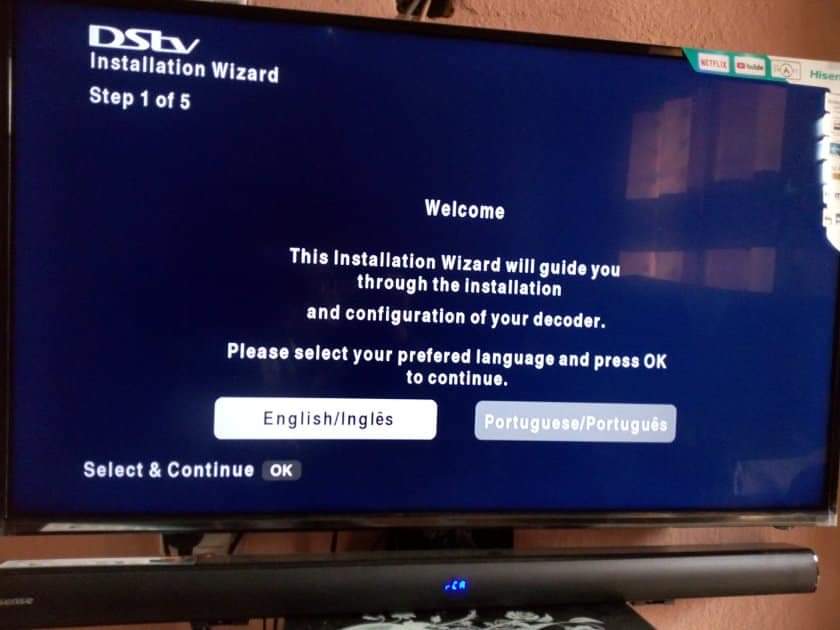
Wizard Settings
When using the installation wizard you can change the following settings:
- language
- name of satellite depending on your country
- type of setup (quick or manual)
- LNB type based on the model of the decoder
Running the installation wizard on the HD decoder
Wait until your decoder finishes scanning the network for channels.
If you do not want the complications of fixing the signal problem on your own you can contact our accredited DStv installers.
Conclusion
There you have it, that is how you run the wizard. If there is no signal you can see an error message which reads “This function cannot be performed as the signal strength is low“. You can solve this problem by following the steps in an article I wrote on how to fix a DStv no signal issue.
Frequently Asked Questions
How do I get rid of the DStv installation wizard?
The best way to get rid of the DStv installation wizard is to use correct settings for your decoder. In other cases, you will need to fix the signal problem before you can attempt to run the installation wizard. Remember, you will never complete the installation wizard if your decoder is not receiving good signal from the satellite dish.
This function cannot be performed as the signal strength is low
This error message means that you either have incorrect settings or there is no signal coming from the satellite dish. Check if your cables connections and satellite dish alignment.
Table of Contents